In earlier entries I described using AI to support development and writing. Preparing these articles brought up another part of that work: a well-written response is not necessarily the response I was looking for.
It happened with this journal. A text could sound right and still leave out why I wanted to write it. Getting closer to that intention meant explaining it more clearly, pointing out what did not feel like me and reading again.
A similar pause helps me before asking for a coding solution. I need to know what I am trying to resolve and how I will recognize a useful proposal.
Describe the problem before requesting a change
“Improve this component” leaves too many decisions open. It could mean changing its appearance, reducing complexity or correcting behavior. If I do not explain what bothers me, the tool has to fill in the gaps.
I prefer to describe what happens, what I expected and where the difference appears. That does not require a huge specification. Sometimes a screenshot, a route and two specific sentences are enough.
For the weather widget, saying there was too much space did not explain where the problem was. I wanted to keep the full width and distribute the icon, temperature and condition across it. Changing the block’s height did not resolve that request.
Provide context that helps with decisions
When requesting a change in an existing project, what is already there matters: which component handles it, which states it has, how it works on mobile and which behavior I want to preserve.
A visual reference needs an explanation too. I can point out the pace of an animation or an arrangement of information without asking for a copy of the entire page.
Useful context reduces assumptions. A long conversation containing information that no longer applies can do the opposite. I try to summarize the current state before continuing a task that has changed direction.
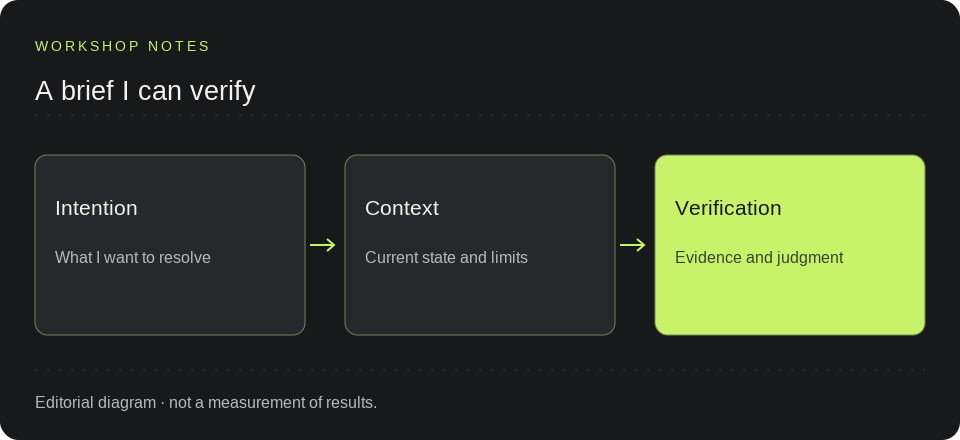
Make the request something I can check
A small weather review could use a brief like this:
On mobile, keep the widget at full width. Distribute the icon, temperature and description across the same row, allowing longer text to wrap onto two lines. Keep controls below and check for overflow at 320 px. Do not change the data request.
This example comes from the portfolio adjustment. Now I can open the page and check each point. I do not have to decide whether it “feels better” without knowing what changed.
If I use a review skill or a browser tool, I need to know its scope. Reading code, examining a screenshot and trying an interaction provide different kinds of evidence. I want the AI’s report to make that distinction too.
Check the parts that seemed obvious
After receiving a proposal, I return to the original problem. Was the space I pointed out fixed? Does the rest still work? Is anything being reported as verified when it was only inferred from code?
AI can help me draft tests or find a case I had not considered. I need to review what they check and run the ones relevant to the change. A completed task list does not replace that verification.
I can also reject a working proposal if it makes something small unnecessarily complicated. Maintaining the project afterwards is part of the decision.
Keep the intention alongside the result
When I finish an adjustment, I want to record what I was aiming for and how I checked it. That helps me return to the project and explain the change without reconstructing the entire conversation.
I am not looking for a perfect phrase that always produces a good answer. I want to get better at describing the problem and noticing when a solution starts moving away from it.
That part of the work can be hidden behind code generation. For me, it helps clarify what I want to build before I start changing files.
AN IDEA TO SHARE