
I wanted the portfolio to have motion, images and details that invite exploration. That brings another question: what does a browser need to download and execute before someone can start using it?
I can like an effect a lot without needing it to be ready before the heading or links. I want to take care of that order, especially when someone’s connection or device differs from mine.
This entry describes how some parts of the site load separately. It is not a before-and-after speed comparison; that would require measuring both versions under equivalent conditions.
Reading and navigation come first
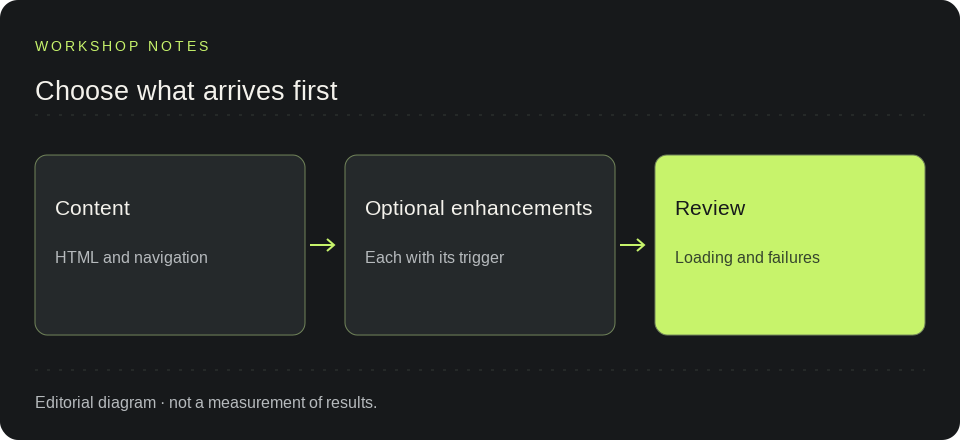
The portfolio’s main content is delivered as HTML. Headings, project summaries and links exist before browser effects start.
That lets me treat animation as an enhancement to a page that already has content. If an optional enhancement fails, I want the page to remain useful.
Images need similar consideration. A browser can defer an image with loading="lazy", but I would not apply it by habit to the main image I want visible immediately. The choice depends on where it appears and what it contributes. The MDN image reference explains that behavior.
Load a module when it makes sense
The portfolio’s client code uses dynamic imports for optional pieces. The hero module is requested when its area approaches the viewport. Weather has its own observer near the footer.
This does not mean every effect waits for a click. The general interactions module is requested at startup on pages with a hero or article cards. Each case needs checking rather than describing the whole application as having one trigger.
import() allows a module to load asynchronously. To make deferral useful, I need to decide which event needs it and what someone will see while it arrives.
Reserve a place for what has not arrived
Deferring something should not turn a page into a series of layout jumps. Reserving space for an image lets the text below keep its position while it downloads.
My components use dimensions or aspect ratios to define that space. A more complex visual enhancement also needs an initial composition that works on its own.
The hero keeps its HTML/CSS images and adds the 3D layer when it can start. With reduced motion, that enhancement does not start. The page still shows the screenshots.
I want waiting to have a clear fallback. If a module never arrives, I do not want to leave an empty surface waiting forever.
Let weather wait without stopping the clock
Weather is requested near its visible area. The clock has its own timer and does not wait for that response. I described the separation in the clock and weather entry.
Separating responsibilities also lets me choose when to load one piece without pulling the others along. Pending work needs to be cancelled or ignored when it is no longer needed.
Those decisions depend on the component. A button used immediately may need its logic earlier than a decoration at the end of the page.
Look at requests as well as the visual result
To review the order, I would open the browser’s Network panel, reload and record what is requested on entry, near the footer and during an interaction. I would repeat that journey with a limited connection and the cache disabled.
I would also check what happens when a resource fails. An effect working on my machine does not explain what the page becomes when its file never arrives.
AI can help locate imports or summarize a trace I share. The evidence remains the observed request and the page’s behavior. A recommendation to defer loading does not establish a performance improvement by itself.
Choosing the order is part of design
I want to keep the images and motion that give the site its identity. I also want each piece to arrive when it contributes something, with the essentials available before every enhancement is ready.
The next time I add an effect, one of my first questions will be what needs to be available before it and what can wait. Answering that helps me decide where the effect belongs as well as how it looks.
AN IDEA TO SHARE