
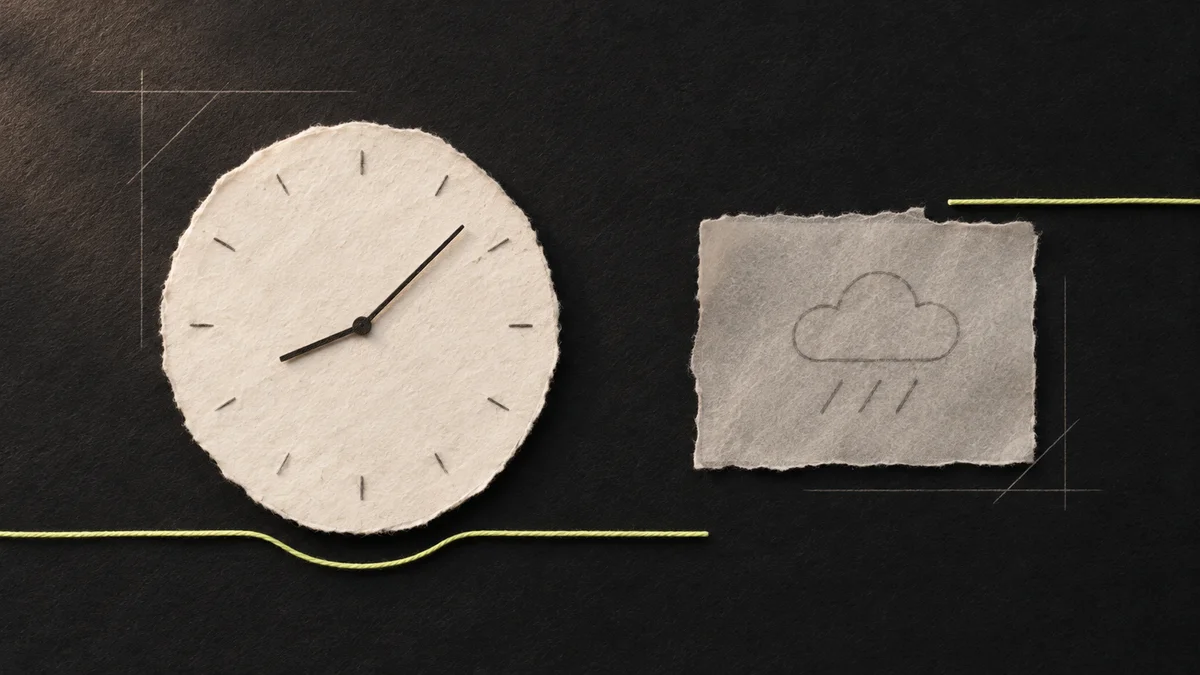
At the bottom of my portfolio there is a clock, the weather and a map. They look like one strip, but each part has its own job.
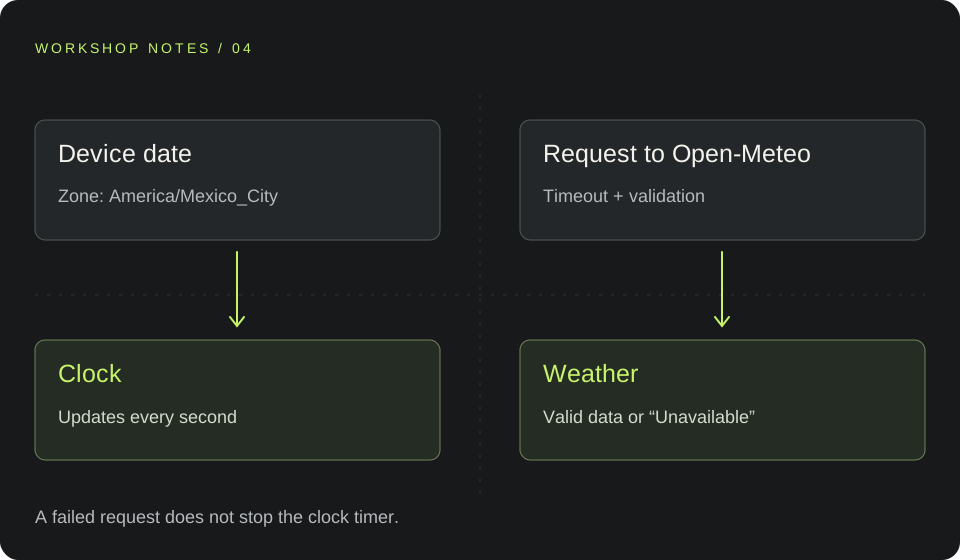
When I reviewed that area, I wanted to protect something simple: if the weather request fails, the clock should keep showing the time. Asking for the weather near a visitor should not change the clock’s time zone along the way either.
It sounds like a small detail. In code it raises several questions: where the time comes from, what the map marker means, how long I wait for a response and what I show before I have any data.
In the previous entry I wrote about the hero’s motion. This time I am moving to the other end of the page, to a much quieter interaction.
The clock has a city
I chose to show Mexico City time. The time-zone label makes that explicit, so nobody has to guess whether the clock follows their device or my location.
I take the device’s date and format it with an explicit time zone. This excerpt from the clock function shows that choice:
return new Intl.DateTimeFormat(locale === 'es' ? 'es-MX' : 'en-US', {
  hour: '2-digit', minute: '2-digit', second: '2-digit',
  hourCycle: 'h23', timeZone: 'America/Mexico_City'
}).format(date);
I do not need to ask the weather API for the time. The clock updates every second using its own timer. There is a limit to that too: if the device’s date is wrong, the clock starts from that value. It is not a time-synchronization service.
The map marker represents Mexico City, the clock’s location. It does not track the person browsing the site.
The weather does need a response
For the weather, I query Open-Meteo. I start with Mexico City as the default city and show a loading state, without filling in a sample temperature.
A valid response brings in the temperature and conditions. If no response arrives, the interface needs to be able to say so.
The request has an eight-second limit. I also check that the fields I need have the expected types. A response I cannot interpret ends in an error state instead of becoming a number that looks real.
Recent data is not new data
I keep a valid reading for the default city for ten minutes. Returning to the page within that period lets me show the reading and make clear that it came from the cache.
The refresh button asks for a fresh reading. An expired or corrupt entry, or one saved with a future timestamp, is discarded.
That distinction matters to me: having data is different from knowing what I am showing. The cache avoids a repeated request, but I do not want it to look like an update that just happened.
Location follows a click
The page does not request location on arrival. I left a button for asking about the weather near the visitor.
When it is used, I round the coordinates to two decimal places before querying the service, and I do not store them. That reduces the precision sent; it is still a location request to an external service, not an operation performed entirely on the device.
The clock stays in Mexico City. If permission is denied, location is unavailable or that area’s weather request fails, the weather returns to the default city and explains that in its status.
Separating these choices keeps one control from changing things it never promised to change.
Keeping an old response from winning
There is another situation a screenshot cannot show: a request may still be on its way when I have already started another one.
Each request has an identifier. Starting a new one cancels the previous request. Before displaying a result, I check that it still belongs to the current request. I also account for someone leaving the page.
Cancellation helps stop pending work. The identifier prevents a late response from replacing a newer state.
If everything fails, the weather shows “Unavailable” and allows another attempt. The clock keeps its timer. I do not invent a reading to preserve the strip’s appearance.
What I take from this detail
The two components are small, but their dependencies are very different. Putting them together in the design does not require making them run together internally.
The project’s tests cover invalid responses, HTTP errors and recent or expired cache entries. That helps review how the data is handled; it does not mean every combination of permissions, browser and physical device has been tested.
I wanted to write about this because it is easy to focus on the hero and overlook the text that appears when something stops responding. An interface’s care shows there too.
You can find the strip on the homepage. The location button is optional: the clock already knows which city to show.
AN IDEA TO SHARE